2 minutes
A React framework in C++
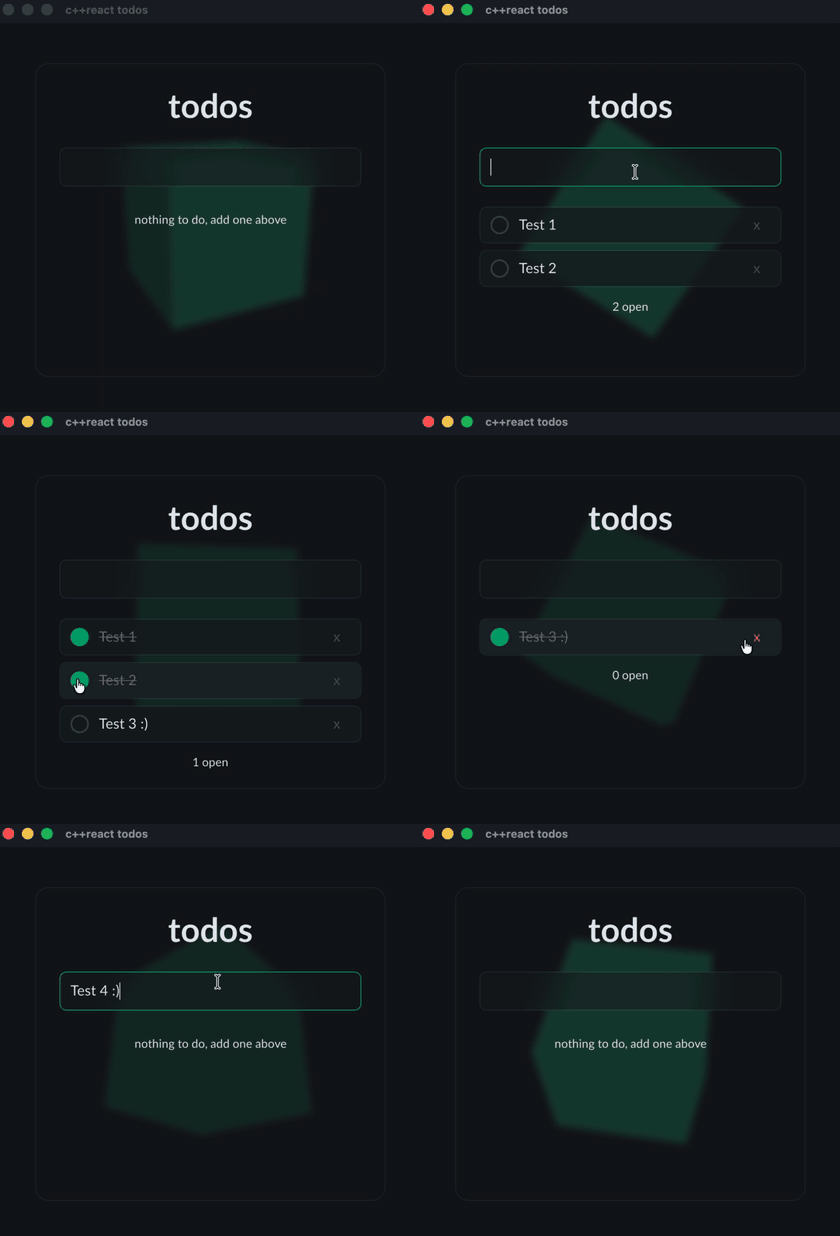
I was crazy enough to build React in C++, and honestly I am pretty happy with how it turned out. Here is how I got there.
I am working on a game in Unreal Engine 5, in C++. At some point you need a user interface, and if you have ever built one in C++ around OpenGL, you know the options are thin. I come from the web, I am used to React and CSS, and I missed them more than I expected. I tried a few things and none of them felt right.
Then I found RmlUi. It is an HTML and CSS like renderer for C++ that draws through OpenGL and a few other backends. I was hooked pretty fast. It gave me the document and the styling I know from the browser, right inside my C++ code.
So I wrote my own Slate backend and got RmlUi running inside Unreal Engine. And because it is plain portable C++, I could compile the same UI to the web with wasm and draw it with three.js. The same interface now runs in the engine and in the browser, from one codebase.
But one thing was still missing. RmlUi gives you the tree and the styling, not the way I like to build UIs. No components, no hooks, no state that just updates the parts that changed. I missed my React.
So I built it. c++react is the React model in C++: function components, hooks, and a virtual DOM that only touches what changed. It does not render on its own. You point it at a renderer and it drives that, so the same components run on RmlUi in the engine and on the web.
Here is a counter, just so you get the feel:
const Component Counter = [](const Props& props) -> VNode {
  auto label = props.get<std::string>("label").value_or("count");
  auto [count, set_count] = use_state<int>(0);

  auto increment = [=](const Event&) { set_count(count + 1); };

  return div({{"class", "counter"}},
    span({}, label + ": " + std::to_string(count)),
    button({{"on_click", increment}}, "increment"));
};
If you have written React, you already know what this does. A click runs the handler, set_count
re-renders, and the diff touches only the text node that changed.
It is early and it is open source. If you want to try it or break it, it is here: github.com/geforcefan/cppreact.